

The modern digital landscape is engineered for continuous engagement, giving rise to a pervasive psychological phenomenon known as doomscrolling—the compulsive habit of excessively scanning social media and news feeds for negative updates. Far from keeping individuals informed, this endless digital consumption frequently yields diminishing returns, triggering heightened anxiety, disrupted sleep patterns, and a general decline in psychological well-being. Whether it is the first action upon waking, a mindless distraction during a daily commute, or an intrusive interruption at the family dinner table, smartphones have embedded themselves into the vulnerable interstices of daily life. However, a growing suite of software tools, operating system updates, and physical hardware interventions are emerging to help users consciously moderate their screen time and reestablish healthy boundaries with technology.
The roots of compulsive scrolling lie deep within the behavioral economics and user-interface design of modern applications. Over the past decade, technology companies have perfected algorithms utilizing intermittent variable rewards—a psychological mechanism similar to slot machines—which keeps users hooked on the anticipation of the next piece of information. Historical shifts in media consumption, particularly the transition from static print journalism to algorithmic feeds that prioritize high-arousal emotional content like outrage and fear, have accelerated this trend. Public health researchers and psychologists have increasingly sounded the alarm regarding the correlation between high daily screen times and rising rates of depression, particularly among adolescents and young adults. Industry analysts note that while smartphones were initially marketed as productivity tools, they have progressively transformed into attention-extraction devices, prompting regulatory bodies globally to scrutinize platform design mechanics.

Addressing this widespread behavioral challenge requires a multifaceted approach that combines operating system modifications, third-party applications, and physical friction. Rather than relying solely on willpower, users can implement a series of structural deterrents across both Android and iOS platforms to curb the impulse to scroll.
Tone Down the Colors
One of the most immediate visual interventions is converting the smartphone interface to grayscale. Stripping away the vibrant, high-saturation colors that make app icons and notifications visually alluring dramatically reduces the dopamine response triggered by the screen. On Android devices, users can navigate to Settings, select Digital Wellbeing, and configure Bedtime Mode to automatically transition the display to monochrome at specified hours, or enable it manually via Accessibility, Color and motion, and Color correction. iPhone users can achieve a similar effect by accessing Settings, navigating to Accessibility, Display & Text Size, and Color Filters. While iOS lacks a native sunset-to-sunrise automatic toggle for this feature, users can easily automate the transition using the built-in Shortcuts application.
Set Time Limits
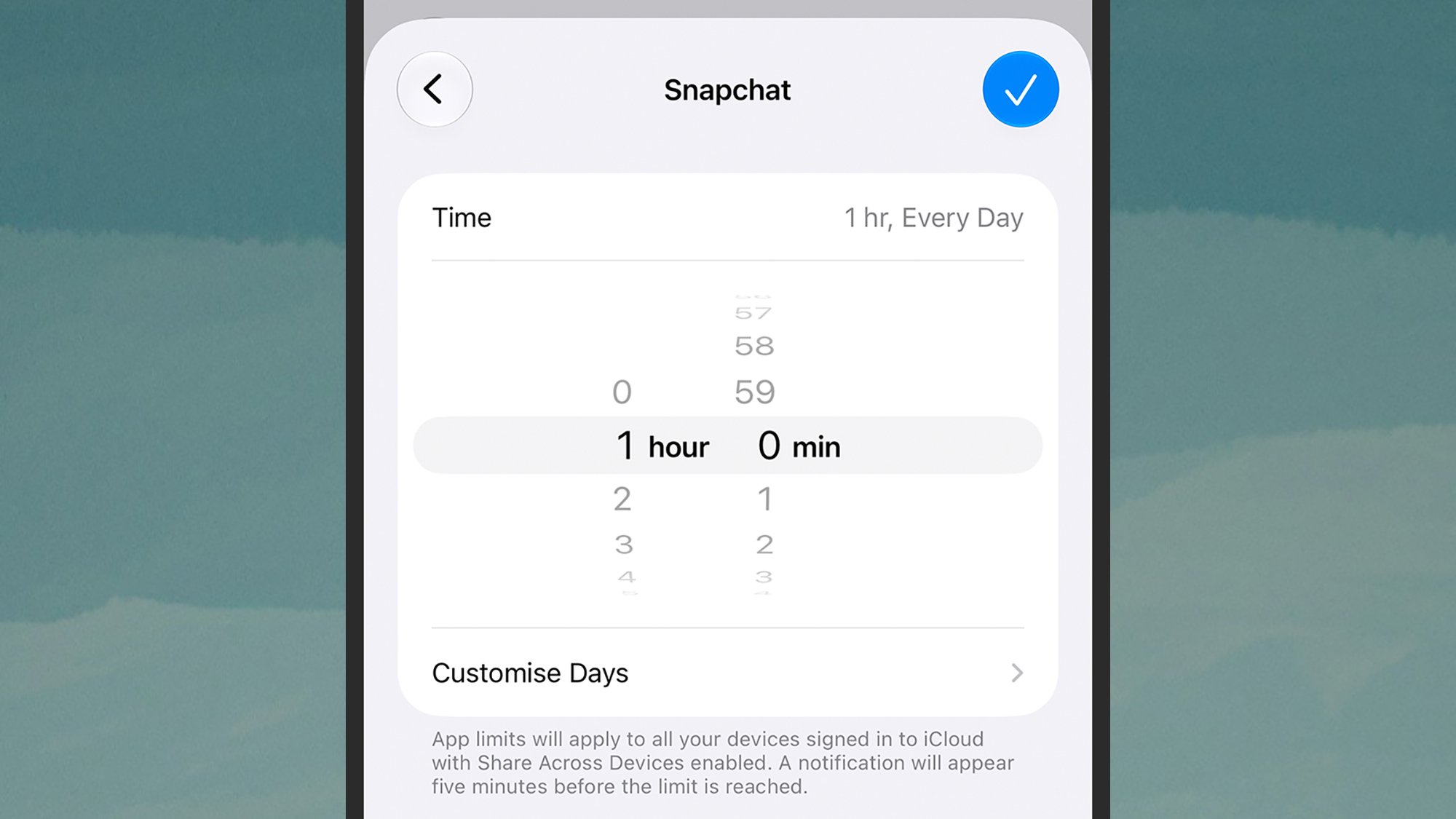
Operating systems now incorporate native time-management suites designed to impose friction on excessive app usage. Both Android and iOS allow individuals to establish strict daily quotas for specific applications. While these limits can be bypassed with a few taps, the momentary interruption serves as a conscious reminder of time elapsed. On Android, users can access App timers via Digital Wellbeing, while Apple users navigate to Screen Time and App & Website Activity. Behavioral experts recommend incrementally reducing these thresholds over several weeks to wean users off compulsive habits gradually.
Reward Focus and Gamification
For individuals who respond well to behavioral conditioning, a new class of productivity applications has emerged that gamifies screen reduction. Programs such as Forest, available on both Android and iOS, allow users to plant a virtual seed that grows into a tree only if the user refrains from opening their phone for a set period. Alternative platforms like Focus Friend and Focus Traveller utilize interactive character progression and virtual hiking mechanics to incentivize sustained periods of digital abstinence, transforming the passive act of avoiding the phone into an engaging, goal-oriented task.
Take a Pause and Implement Speed Bumps
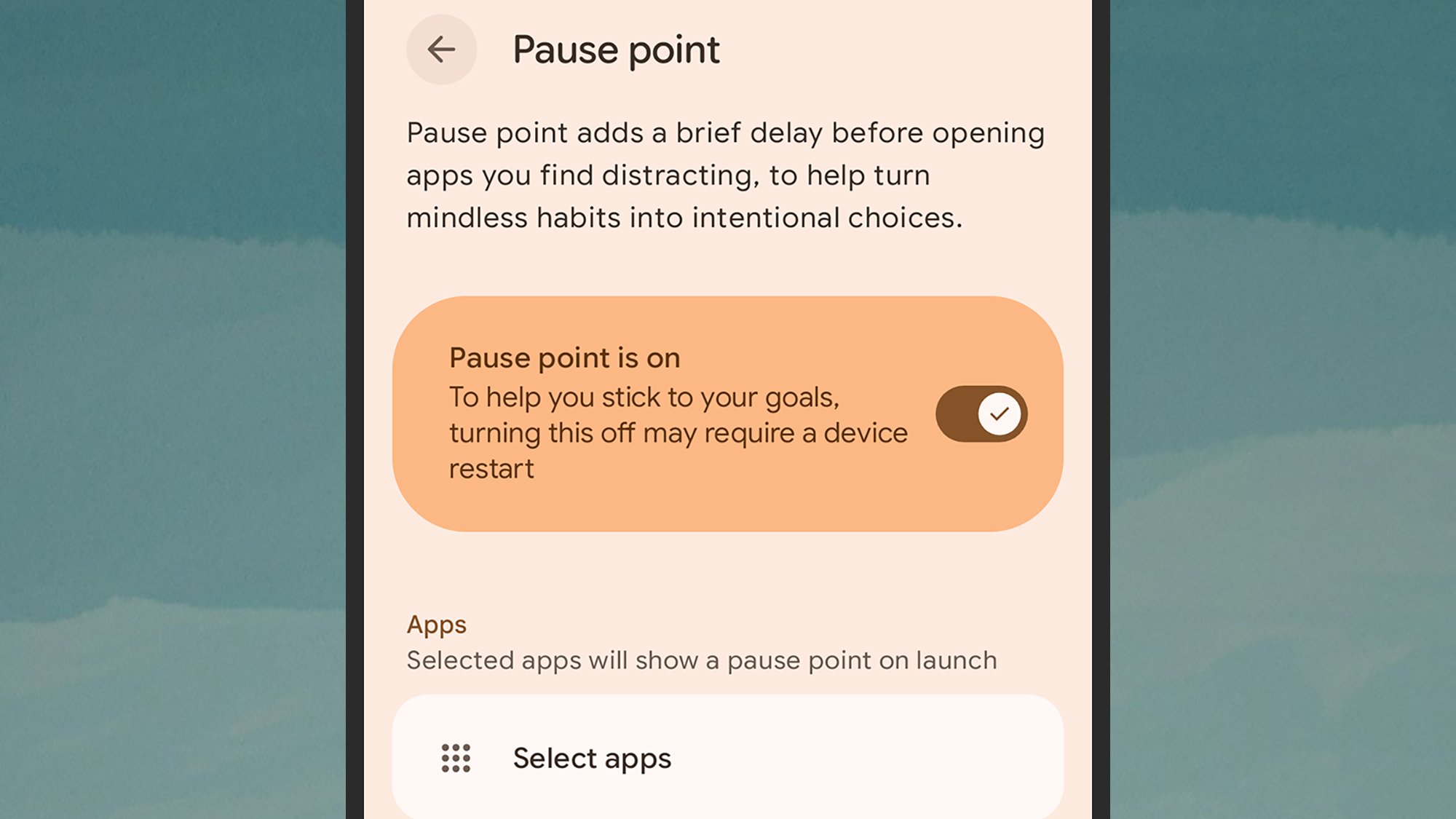
Introducing cognitive speed bumps before high-distraction apps launch can significantly reduce mindless opening loops. For instance, Android 17 on Pixel devices features a native tool called Pause Point, found within the Digital Wellbeing settings. When configured, launching a targeted application triggers a mandatory pause featuring guided breathing exercises or custom photo galleries, forcing the user to evaluate whether opening the application is intentional or habitual.
Add a Physical Gadget for Friction
When software controls prove insufficient, physical hardware solutions offer a tangible barrier against screen addiction. Devices such as the Brick—a physical NFC-enabled dongle retailing for $59—allow users to physically tap their phone to enforce a customized restriction mode that blocks pre-selected apps and websites. Similar hardware alternatives, such as the Autonomous Key, provide comparable physical checkpoints that remove the immediate accessibility of digital feeds.
Leverage Focus Modes
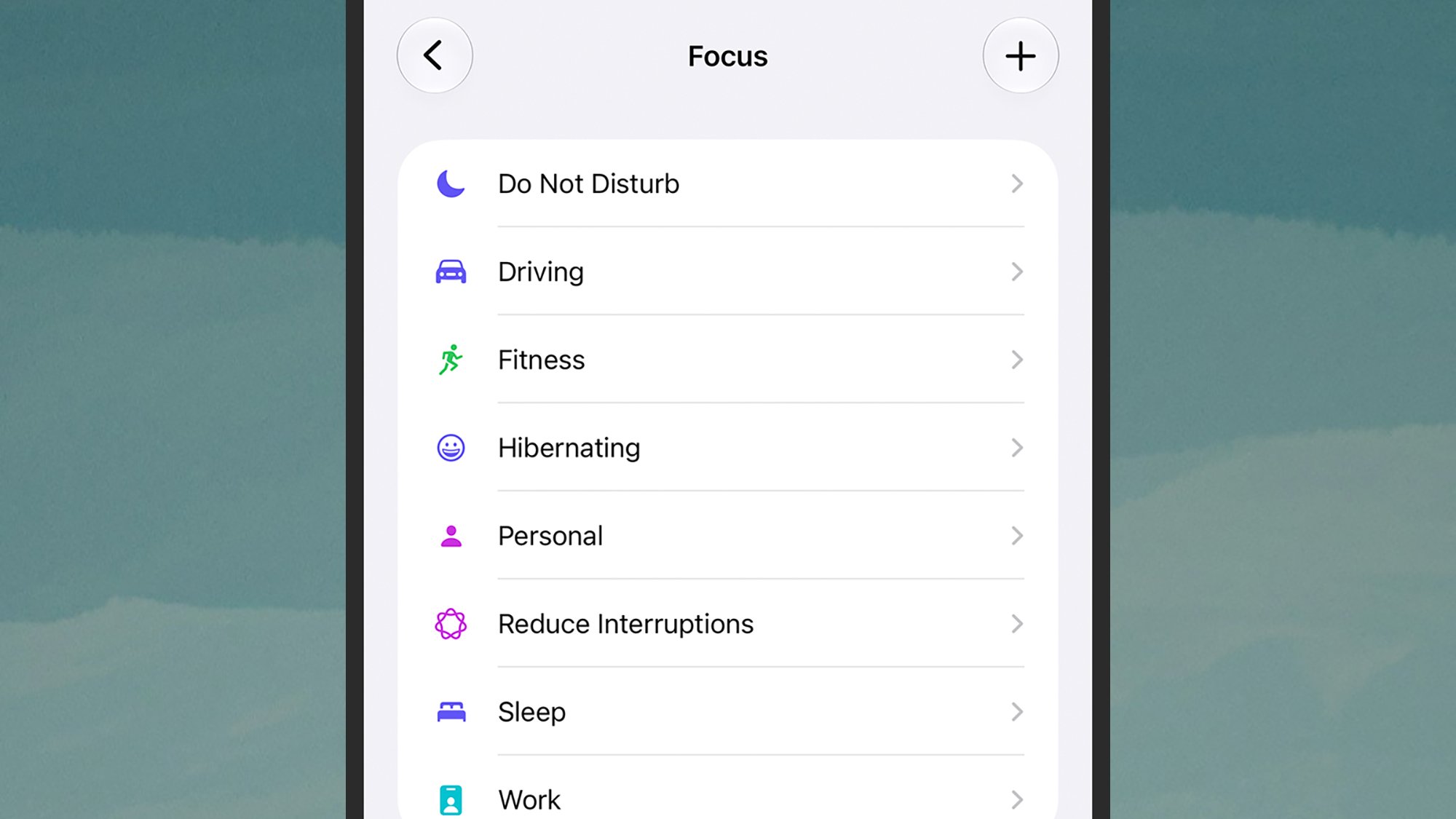
Both major mobile ecosystems offer robust Focus modes that transcend basic Do Not Disturb settings. By configuring distinct profiles for sleeping, working, or driving, users can restrict incoming notifications and hide specific application pages from the home screen entirely. These profiles can be meticulously tailored to permit only essential communications, thereby sealing off avenues for accidental scrolling during vulnerable periods.
Audit Individual App Settings
Beyond system-level controls, many high-engagement applications feature internal safeguards. For example, platforms like Instagram offer dedicated time management sections within the profile settings menu, allowing users to establish daily reminders and configure dedicated sleep modes that mute alerts during rest hours. Systematically auditing these individual platforms helps dismantle the architecture of continuous engagement.
Utilize Network-Level Guards
Advanced software integrations, such as Samsung’s One UI 9, introduce specialized administrative tools like AI Network Guard. Originally developed for parental controls, these features can be adapted by adults to impose network restrictions on specific applications. Buried within advanced connection menus, these utilities provide a robust firewall against constant data fetching by distracting platforms.
Quieten Notifications
Systematic notification management remains a cornerstone of digital hygiene. By actively pruning alerts through the system settings menu on Android or iOS, users can drastically reduce the frequency of audio and visual interruptions that prompt reflexive phone-checking behaviors. Implementing notification snoozing on Android or scheduled summaries on iOS ensures that information is consumed on the user’s terms rather than dictated by algorithmic pushes.
The broader implications of widespread doomscrolling extend far beyond individual productivity losses, touching upon public health, workplace efficiency, and civic discourse. As legislative bodies in various jurisdictions begin exploring regulatory frameworks to limit addictive design features in software, the responsibility currently falls upon the consumer to institute personal defenses. Economists and sociologists suggest that the cultural shift toward digital minimalism is gaining momentum, moving from a niche counter-cultural movement into a mainstream necessity. By systematically deploying technological safeguards, users can mitigate the adverse psychological tolls of hyper-connectivity, ultimately restoring agency over their time, attention, and mental health.
Related posts: